PDF Highlighter
PDF Highlighter: mark text instantly in any color. No extra software needed. Keep your workflow simple and clean.
We don’t upload your PDF to a server. Your PDF is only accessible in your browser. Your data is confidential.
Swift PDF highlighting
Color your favorite bits in different shades with ease. Use a snug panel to look back through your highlights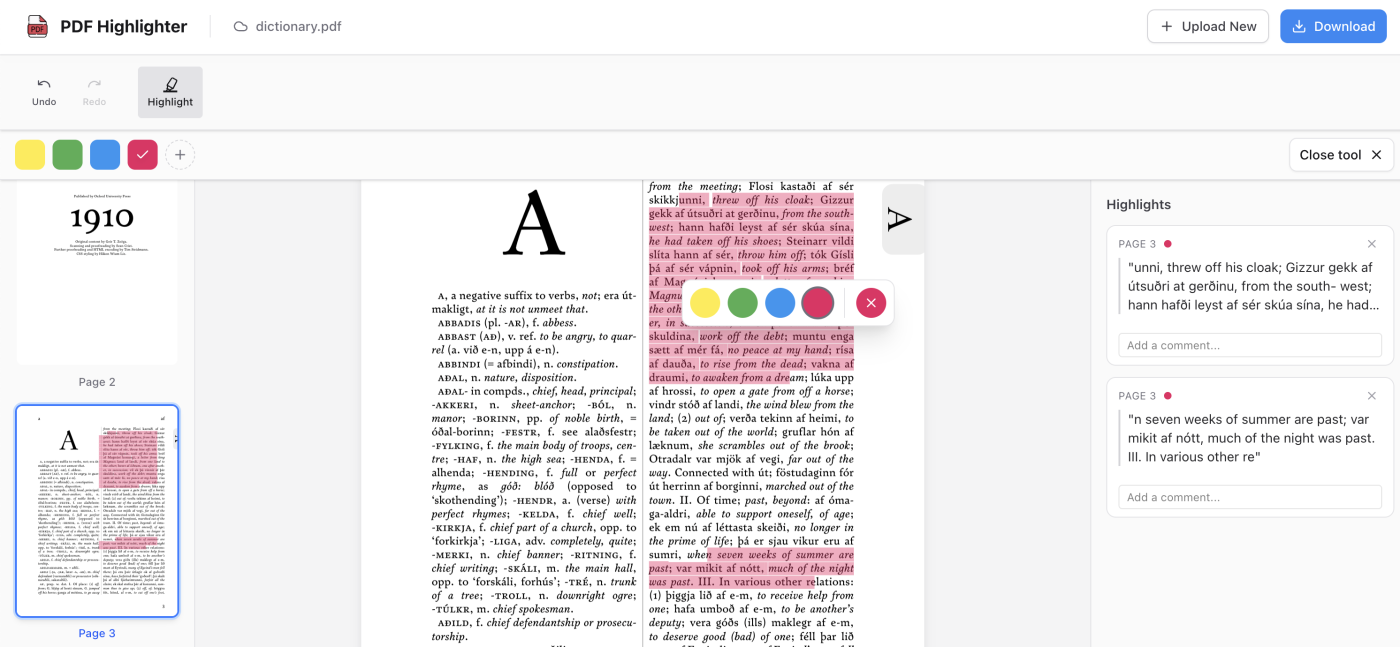
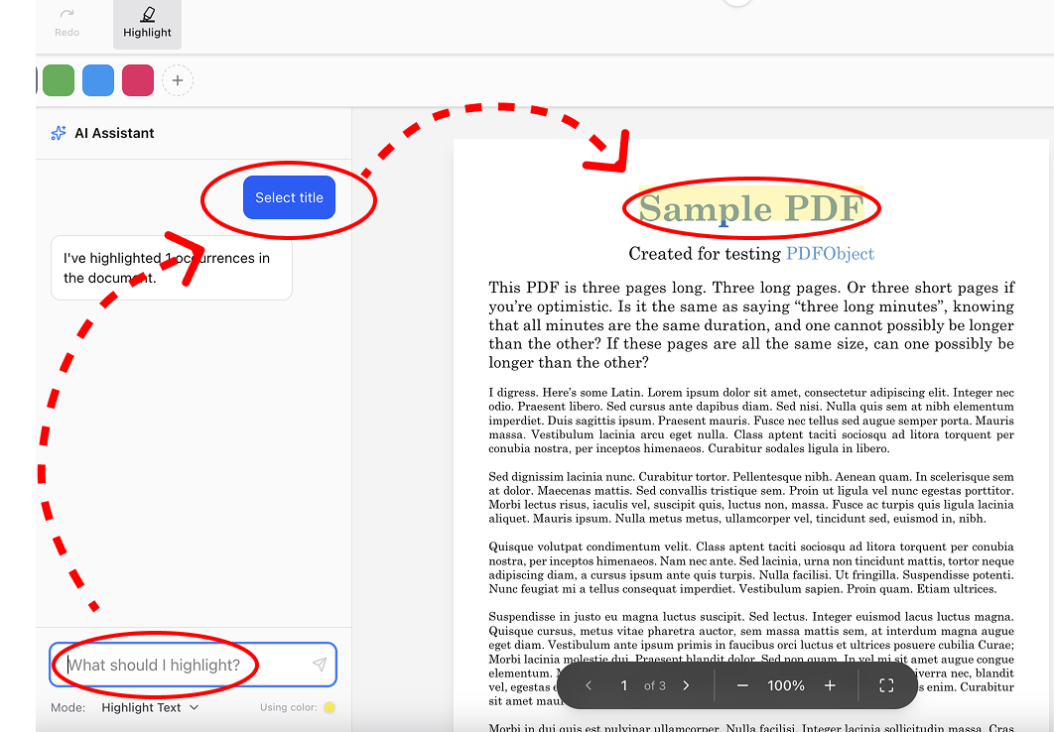
AI Text Highlighter
Just type your prompt in the chat, and the AI will highlight the relevant parts of the text. You can easily edit the results if needed.
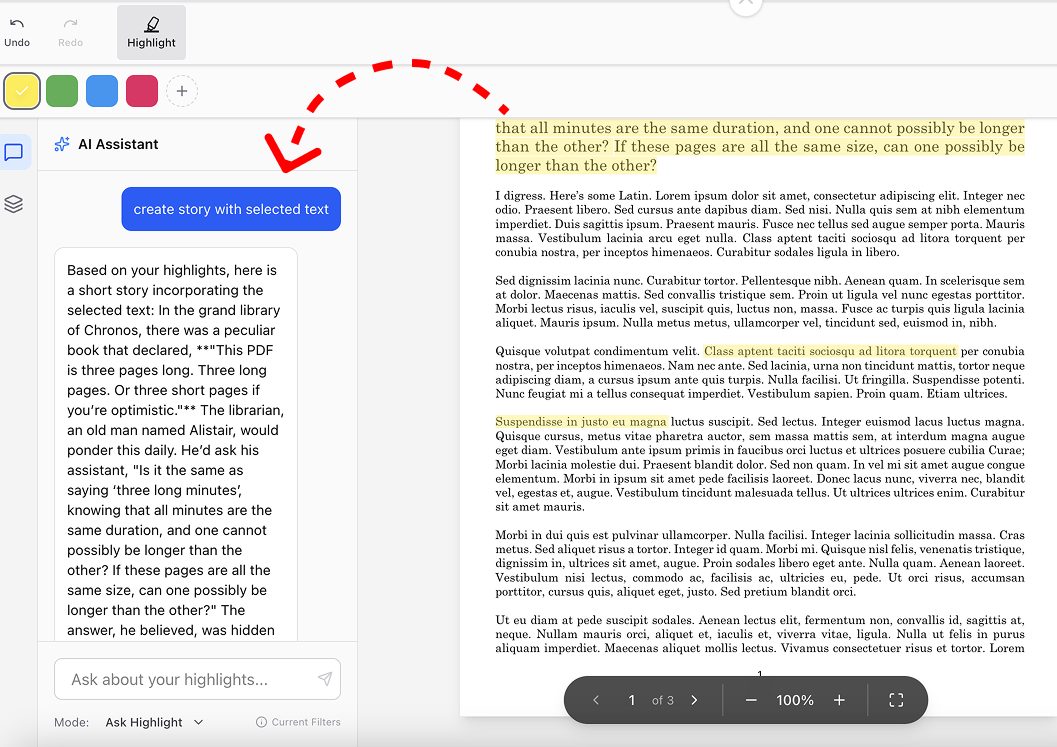
Send highlighted snippets to the AI chat
Upload highlighted snippets to the AI chat. Use them to analyze text, review terms, and much more.
Edit or remove your PDF highlights
Delete, edit, and add thoughtful notes to your highlights. Refresh highlight colors with just a few friendly clicks.
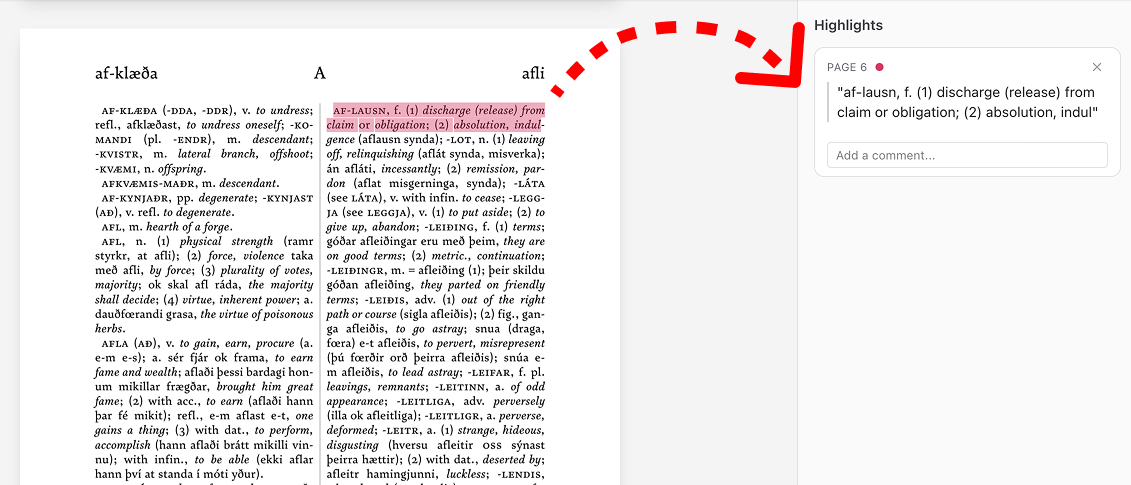
Simply control your highlights
Use friendly tools for easy page scaling. Flip through pages with ease using a neat and handy panel.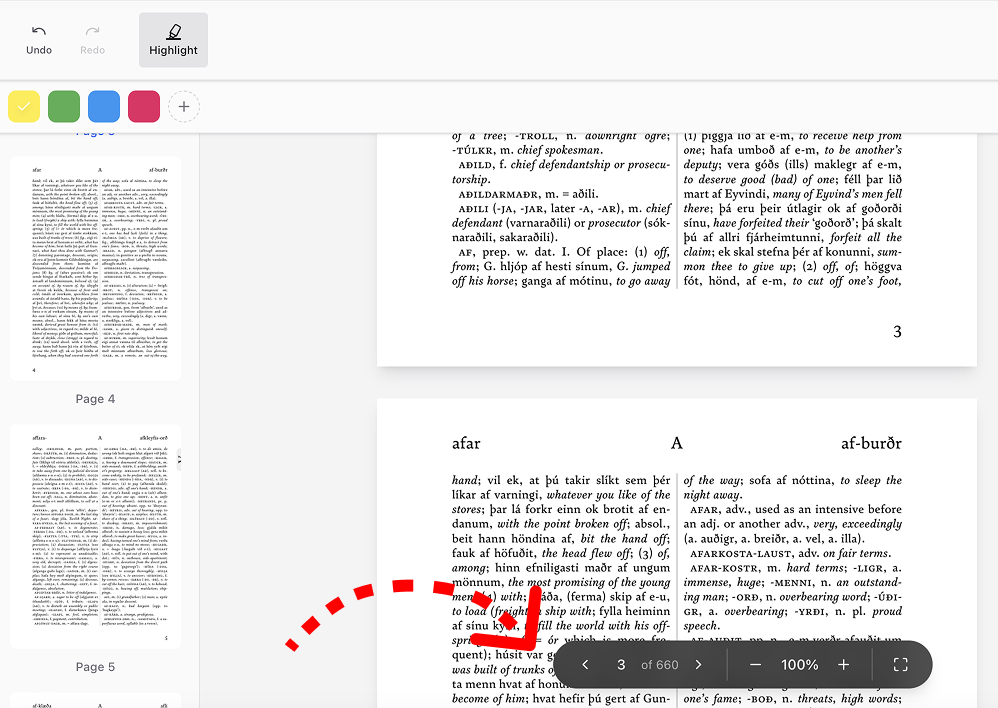
Secure offline space
No installation required. Your data stays on your device during manual editing. If you use the AI chat, the document text is sent to our secure server for analysis and then deleted after the session.
Frequently Asked Questions
- What is PDF Highlighter?
PDF Highlighter is a specialized PDF editor that allows you to highlight text using AI. Its main goal is to make working with highlighted sections of a document convenient and efficient.
- How to highlight in a PDF?
You can highlight text and document areas manually using the cursor, pencil, or shape tools. For automatic analysis, use the AI chat to identify and highlight key points and important fragments, saving you time.
- What features does PDF Highlighter offer?
With our tool, you can highlight text in a PDF document both manually and with the help of AI. You also have access to export, editing, and highlight deletion features.
- Can I save highlights?
Yes, this option is available.
- Is my data protected?
Your data is completely secure. When you upload a document in manual editing mode, the file remains on your device and is not transmitted over the internet. However, if you use the AI chat feature, the PDF text is sent to our secure server for processing.
- Can I erase highlights from the current file?
Yes. After uploading a document, you can edit or completely remove existing highlights in the PDF file.
- Can I use AI to highlight and analyze text?
Yes, you can send the document to the chat for AI-based processing. Please note that in this case, the file will be uploaded to our secure server for analysis.