Chat with highlighted fragments in PDF
In one of my articles, I mentioned that I often build projects based on my own “lazy” needs. The chat with highlighted PDF fragments is no exception.
Not long ago, we decided to rewrite one of our projects. To do that, we first went back to the old documentation to create a task list based on it. The document, by the way, was quite large and heavy.
My workflow looked like this:
- Create labels for different types of tasks.
- Carefully review the PDF document and highlight different types of tasks using different colors (for example: design, backend, frontend, analytics).
- Assign a label to each task. For example, blue color — analytics.
- Analyze the highlighted fragments and write tasks for each label.
I will talk about creating labels and automatic text highlighting in the next articles. For now, let’s focus on analyzing selected text fragments.
How does it work?
Make sure the selected filters match your request.
Highlight the text using standard tools
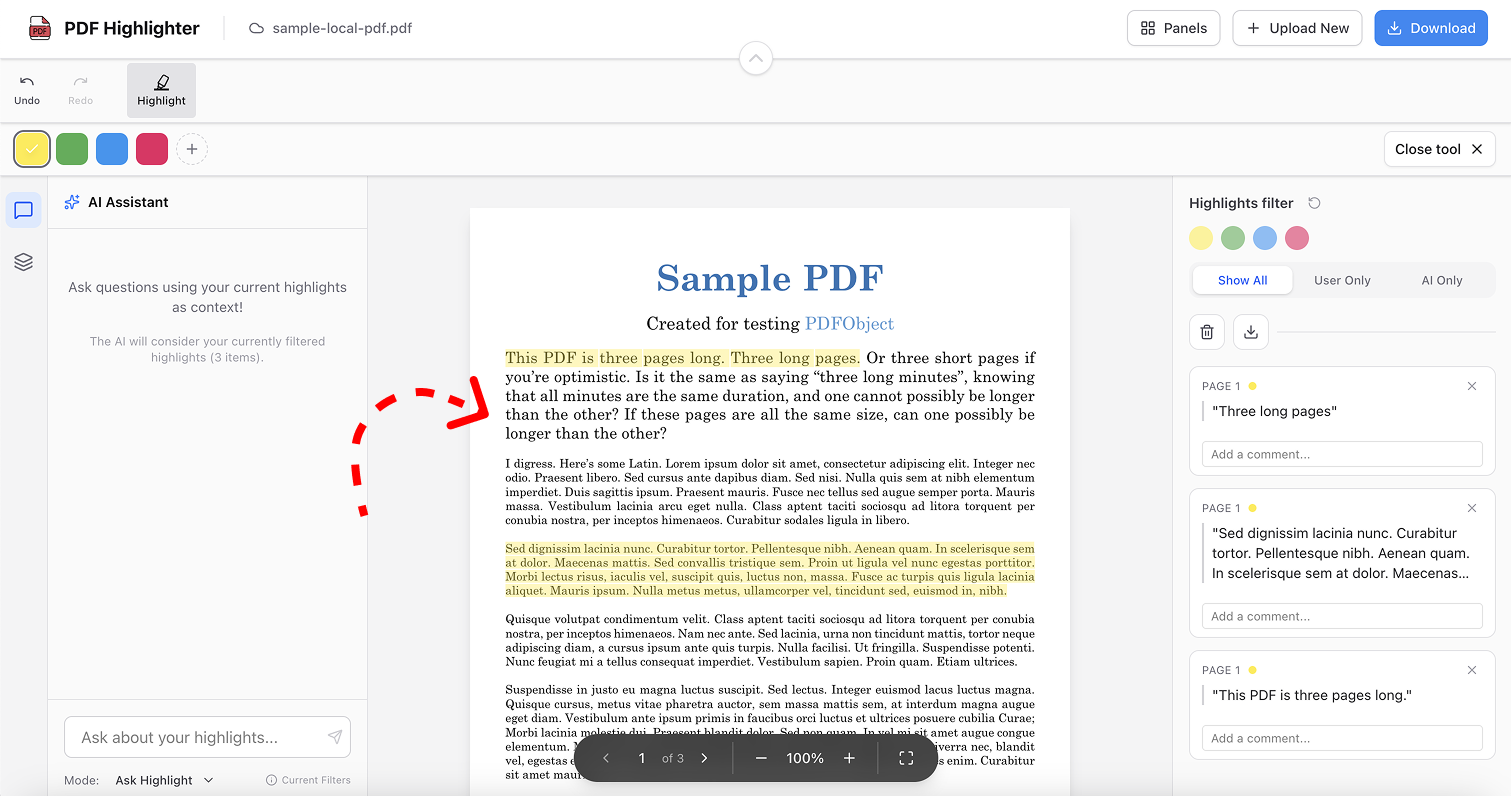
In the AI chat window, select the chat with highlighted fragments feature.
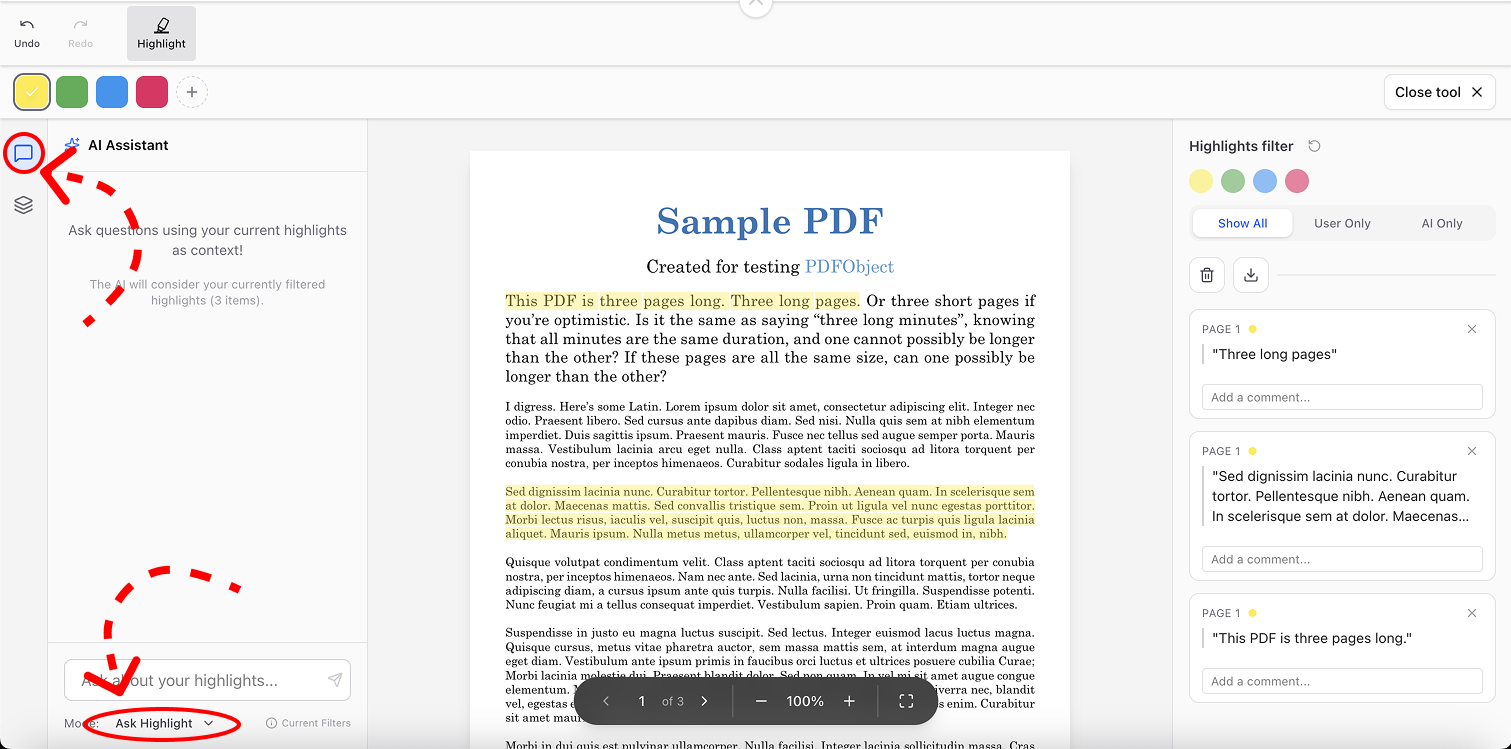
Make sure the selected filters match your request.
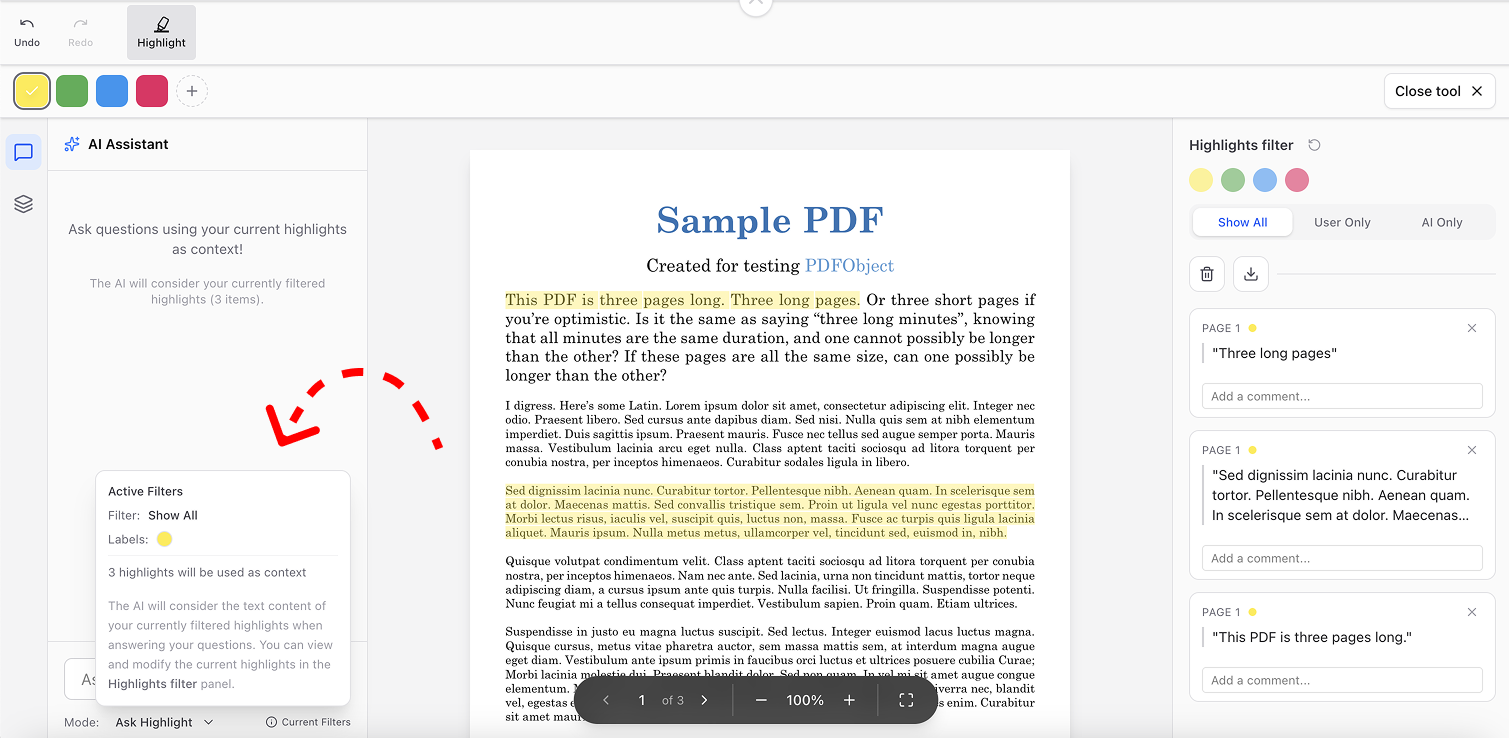
All set! Enter your request in the chat.
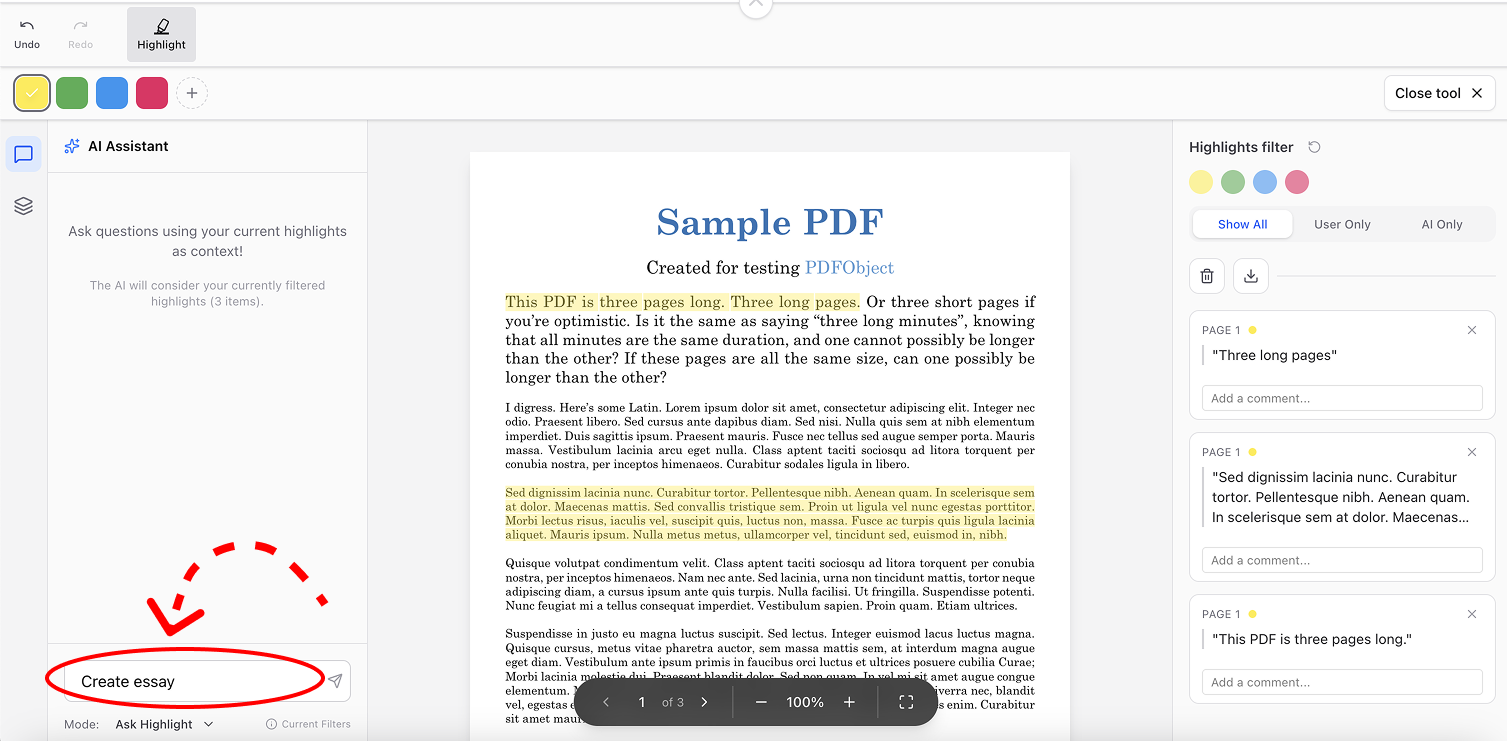
What does this feature include?
Filter_Alt
Filtering
We need to write tasks (or any other text) only for highlighted fragments. That’s why I added label-based filtering.
Analytics
Chat with highlighted fragments
You can perform any actions within the context of the selected fragments.
How can this be used?
Add_Notes
Essays
Write essays in different styles based on the selected text.
Analytics
Analytics
Analyze highlighted information using AI.
Edit_Document
Documentation
Document selected fragments according to your own formats.
Transit_Enterexit
Translation and localization
Highlight complex terms and instantly get their definitions.
In conclusion
Thank you for reading this article. I truly hope this overview of the feature was useful to you. If you have any questions, feel free to contact me – support@pdfhighlighter.io