Highlighting text in PDF via AI Chat
Hi there! Not long ago, I announced fragment highlighting in documents via AI chat.
I didn’t conduct targeted interviews; I focused solely on my own convenience when working with highlighted text.
| 💡 Important! I’ve set limits for this feature: no more than 5 pages per document. |
How it works
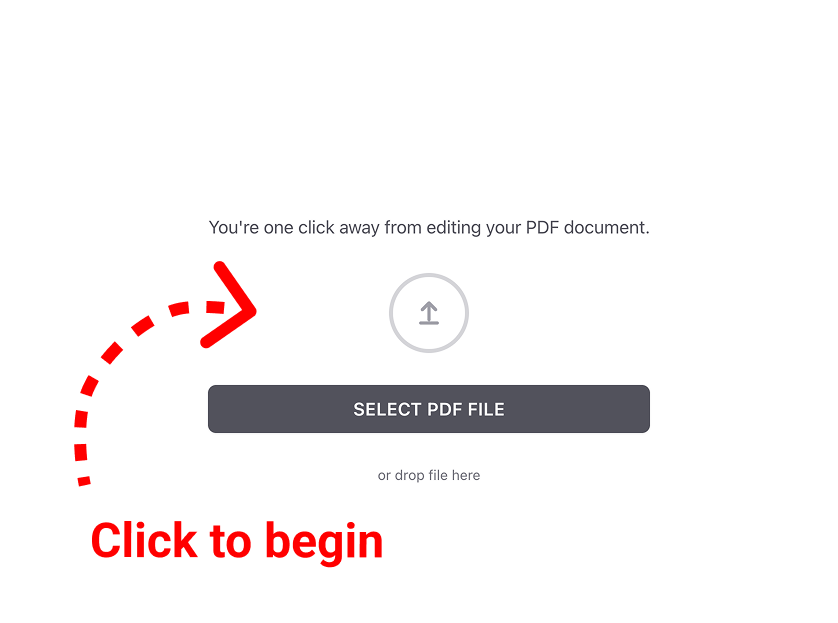
Upload your favorite (or least favorite) document.
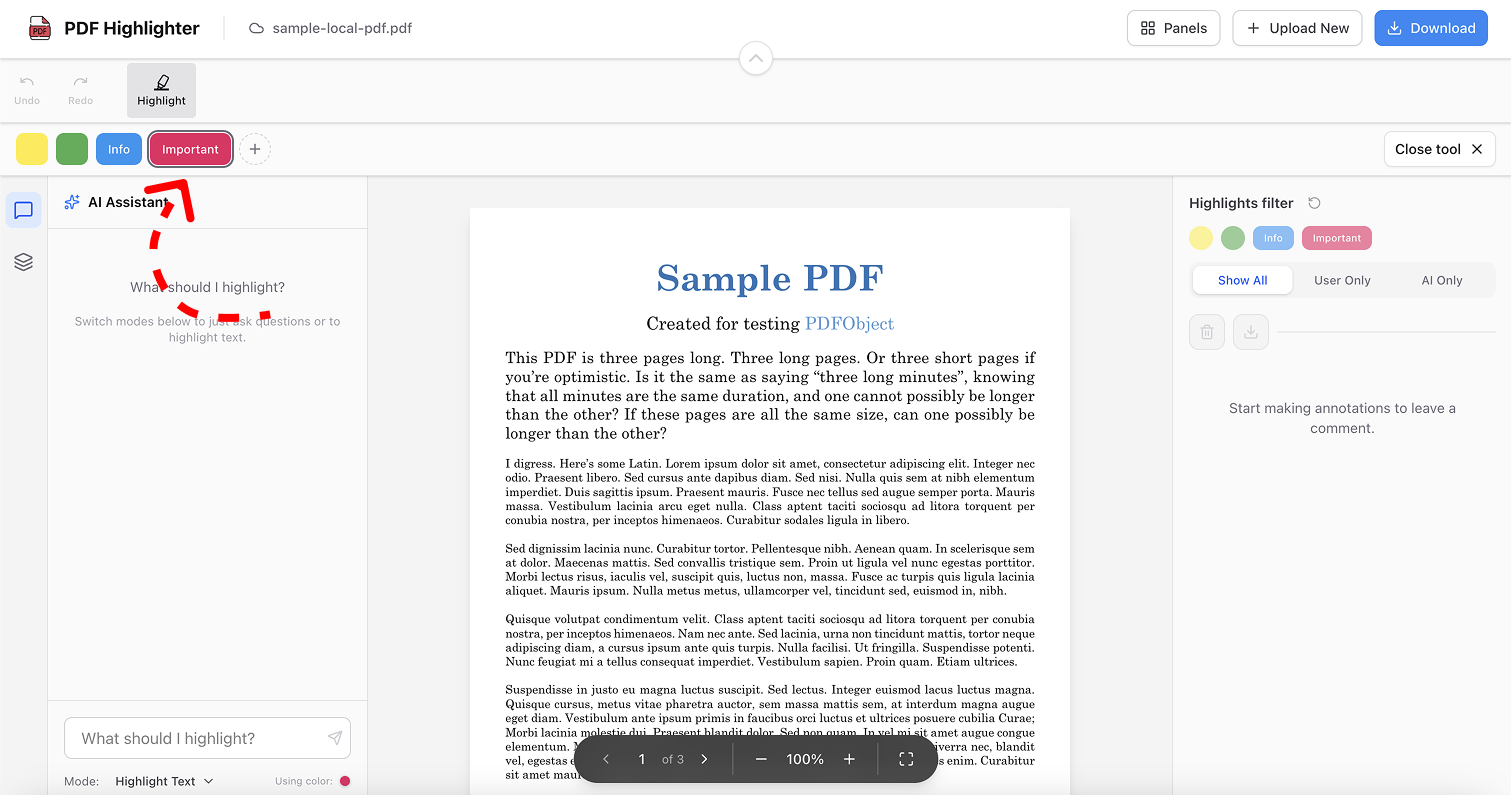
Pick a suitable label for the highlight color.
For example: “important,” “useful quotes,” and so on.
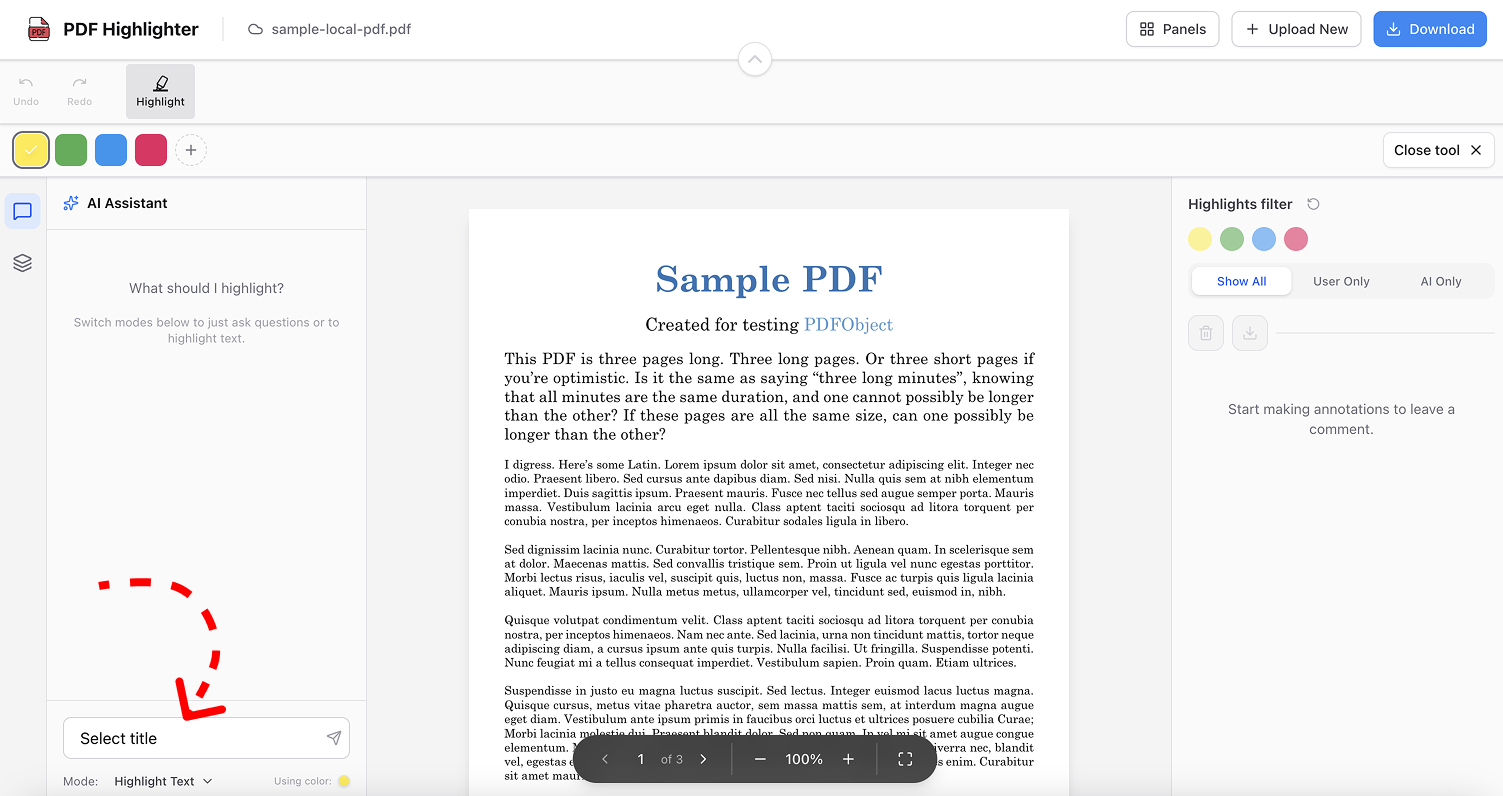
Write what you want to highlight
Make sure the active Highlight Text option is selected. Use this option carefully. Try to explain as precisely as possible what you’d like to highlight in the text.
All set!
Hit the “Send” button. Once you get the result, you will be able to edit the highlighted fragments.
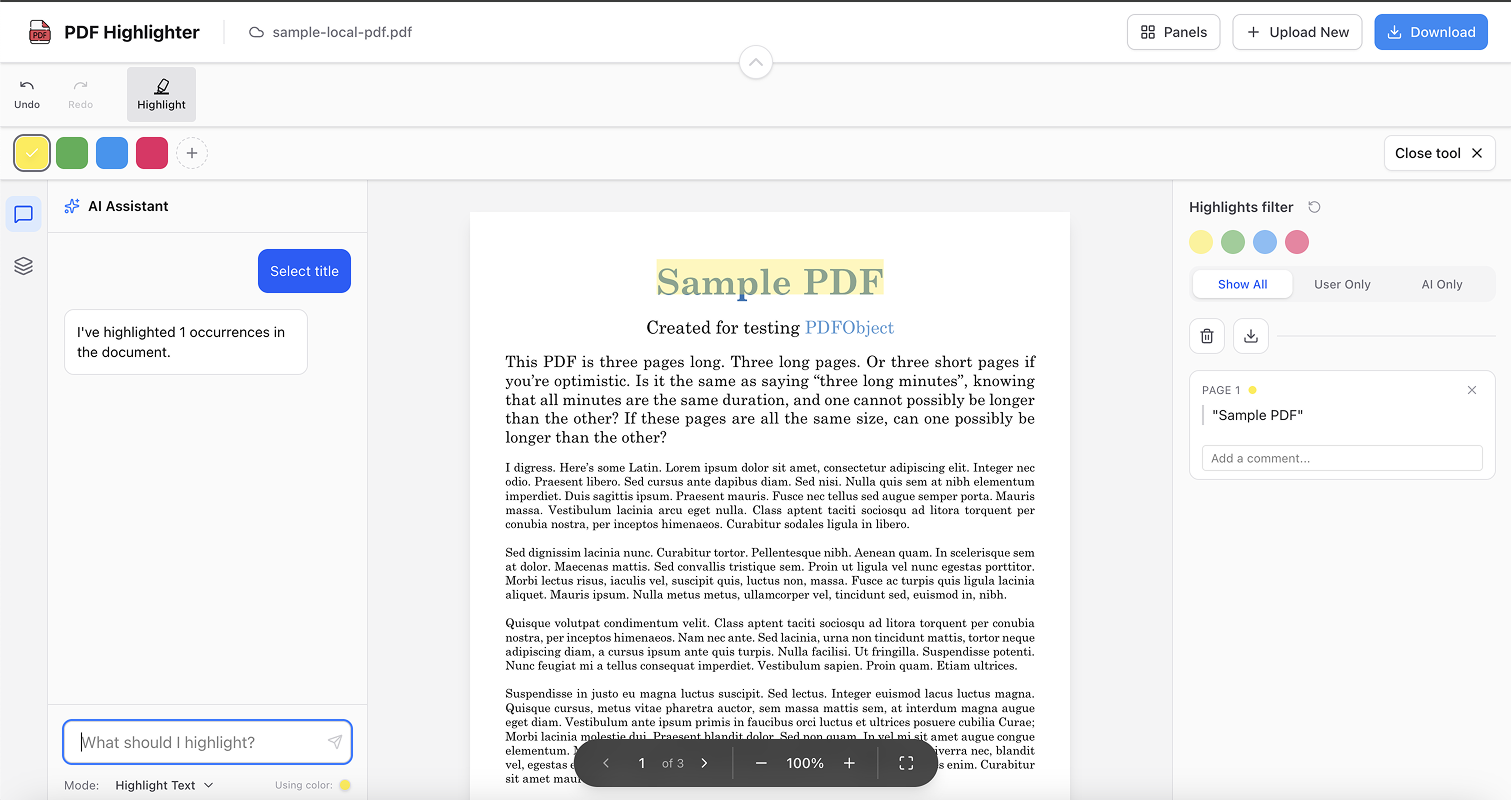
| 💡 Important! This functionality doesn’t work perfectly yet, so it will be constantly refined. Please share your feedback. Contact: support@pdfhighlighter.io |
Usage Examples
School
Student
Highlight all term definitions in yellow and formulas in blue
Balance
Lawyer
Highlight everything related to litigation
Account_Balance
Auditor
Highlight all anomalous expenses above $10,000
Account_Box
Ecologist
Highlight environmental risks in the document for me
A few advantages of this approach:
- Saving time. It’s obvious to me that this functionality won’t work perfectly. However, it is much faster to remove extra fragments in the chat panel than to highlight most of them manually.
- Quality. The chat can complement your information; as a result, you may get higher-quality answers than with manual highlighting.
- Editing convenience. You choose a label, and then the text is highlighted based on your request. It’s convenient and predictable.
What’s the result?
For now, this is a lightweight version of my idea. I would like to get more feedback so I can add new features based on user requests. Contact: support@pdfhighlighter.io