How to Craft a Wonderful Essay Using PDF Highlighter
In this article, we’ll explore how to write an essay using PDF Highlighter. Just follow along with these steps, and we’ll help you turn your materials into a piece of work you can be proud of.
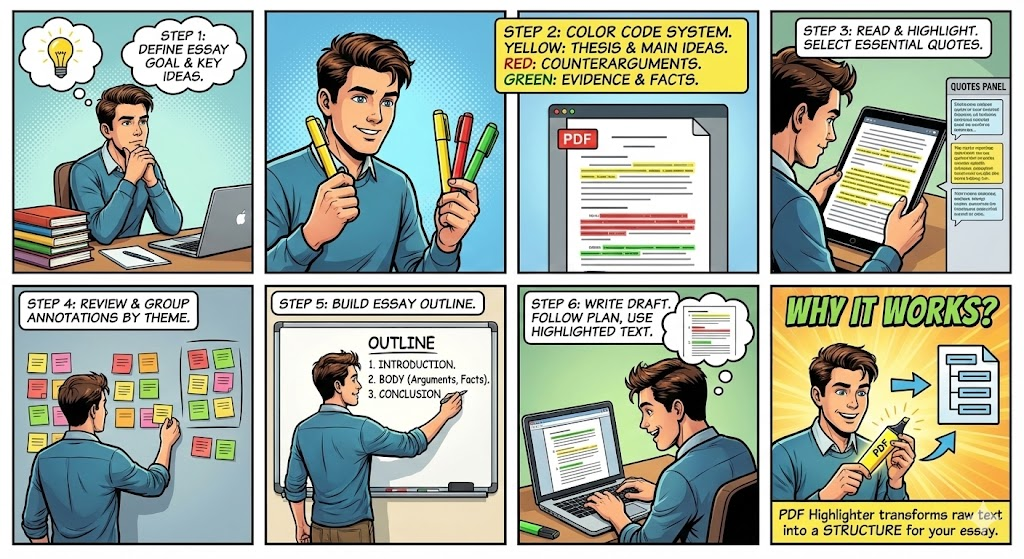
Step 1. Find the heart of your essay and what you want to say. Think about the key ideas you really want to share.
Step 2. Get your color palette ready. For instance, try using yellow for your main ideas and key takeaways. Red is perfect for counterarguments and critical analysis, while green works beautifully for facts and evidence.
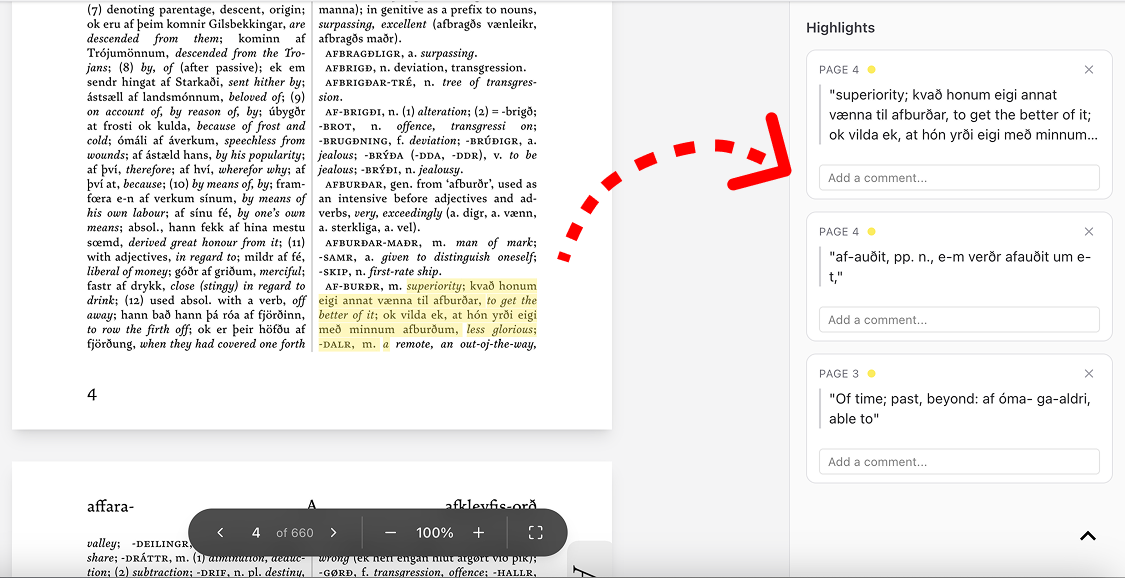
Step 3. Let’s dive into reading! Explore the text carefully, and try to highlight just the most essential gems and quotes.
You can always take a peek at your collection of highlighted quotes right there on the sidebar.
Step 4. Look back at your notes. Gather your highlighted pieces and group them by theme.
Step 5. Sketch out your plan. Usually, it works best to have three parts: the intro, the body, and the conclusion. In the body, you can weave in your arguments, different viewpoints, and helpful facts.
Step 6. You’re almost there! Start crafting your draft. Just follow your plan and lean on those highlighted passages and your own notes.
Why does this work? When you use PDF Highlighter, you aren’t just marking up useful bits. You are transforming the original text into the building blocks for your own unique essay.