How do I highlight a PDF?

1. Let’s start your journey! Hop over to pdfhighlighter.io and gently click that SELECT PDF FILE button to begin.
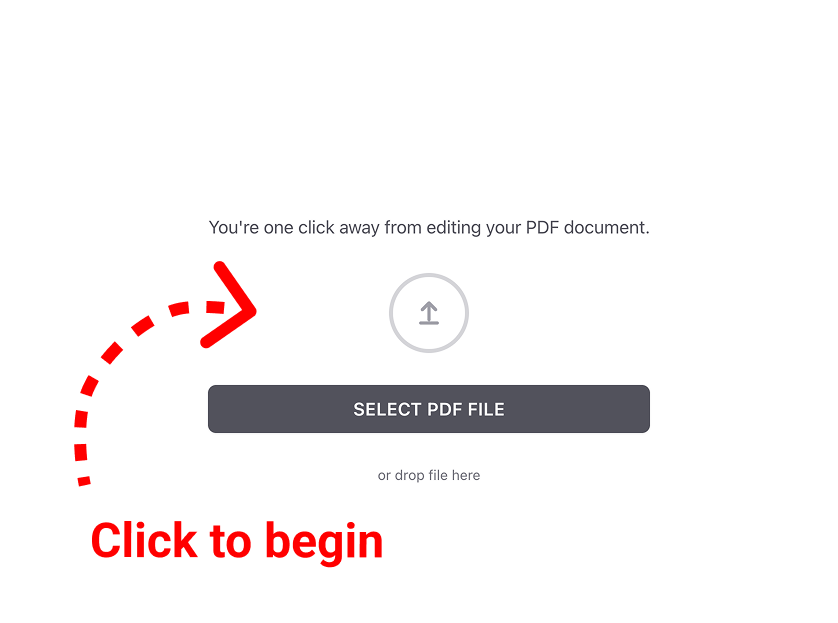
A landing page for a PDF editing tool featuring a "Select PDF File" button and a drag-and-drop area, with a red dashed arrow pointing to the upload icon and text saying "Click to begin."

2. Pick your favorite file. Simply choose the PDF you’d like to work on from your device.
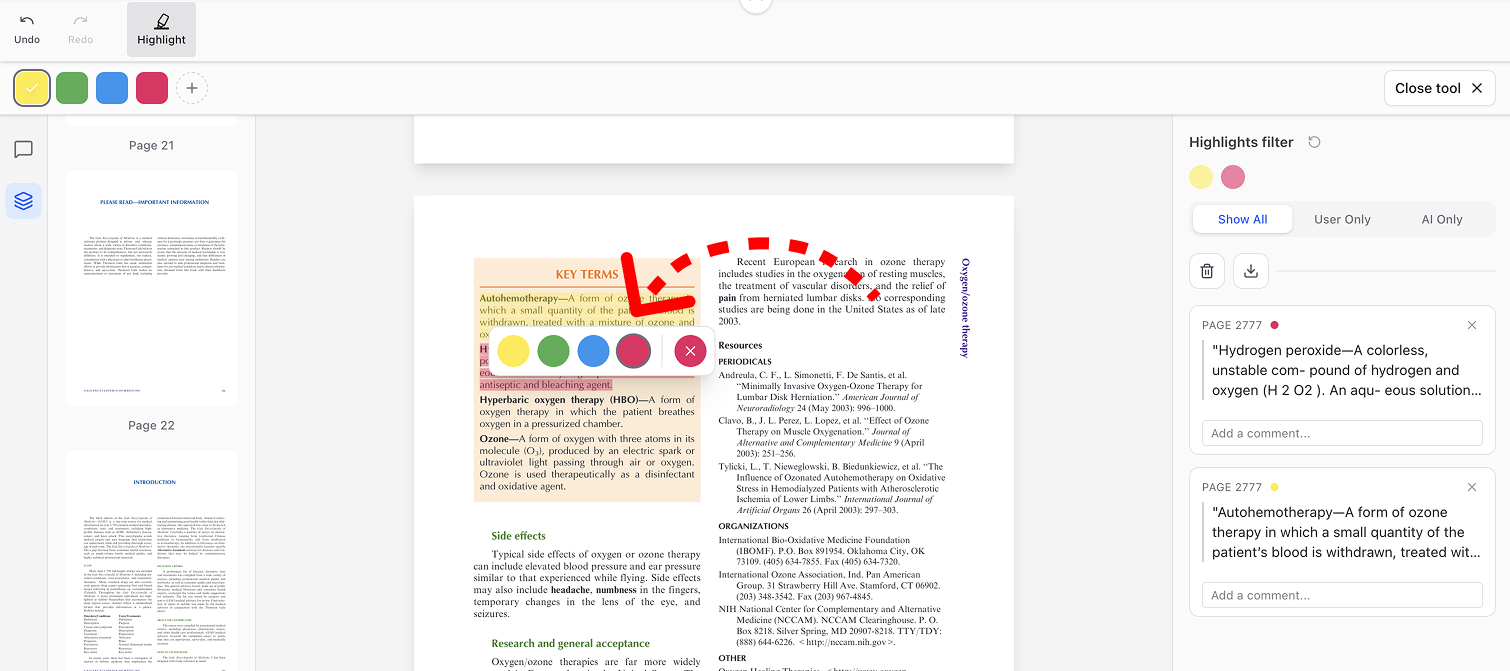
A screenshot of a medical document on "Ozone therapy" within the PDF Highlighter tool. Text for "Hydrogen peroxide" is highlighted in pink, and a red dashed arrow points from the document to a corresponding entry in the "Highlights filter" sidebar.

3. You’re all set! Now for the fun part: just highlight any passage in your document that speaks to you, and pick a lovely color to make it shine.
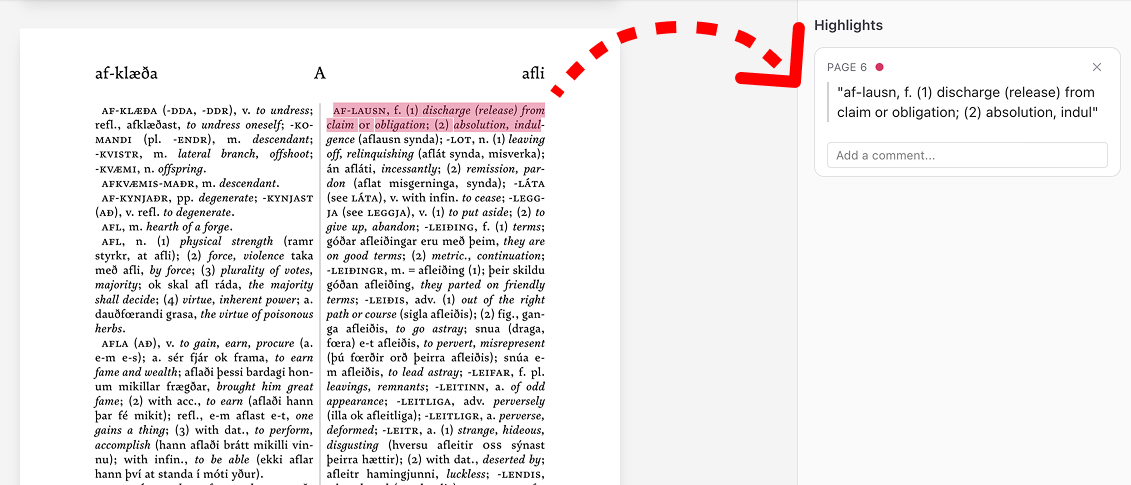
A screenshot of a "Dictionary PDF Annotation Tool" showing an Icelandic dictionary entry for "af-lausn" with a pink highlight, and a red dashed arrow pointing to the extracted text in the "Highlights" sidebar.

4. Make it yours. Feel free to change your mind! If you want to switch colors or remove a highlight, just click on the text you’ve marked and choose the option that feels right.
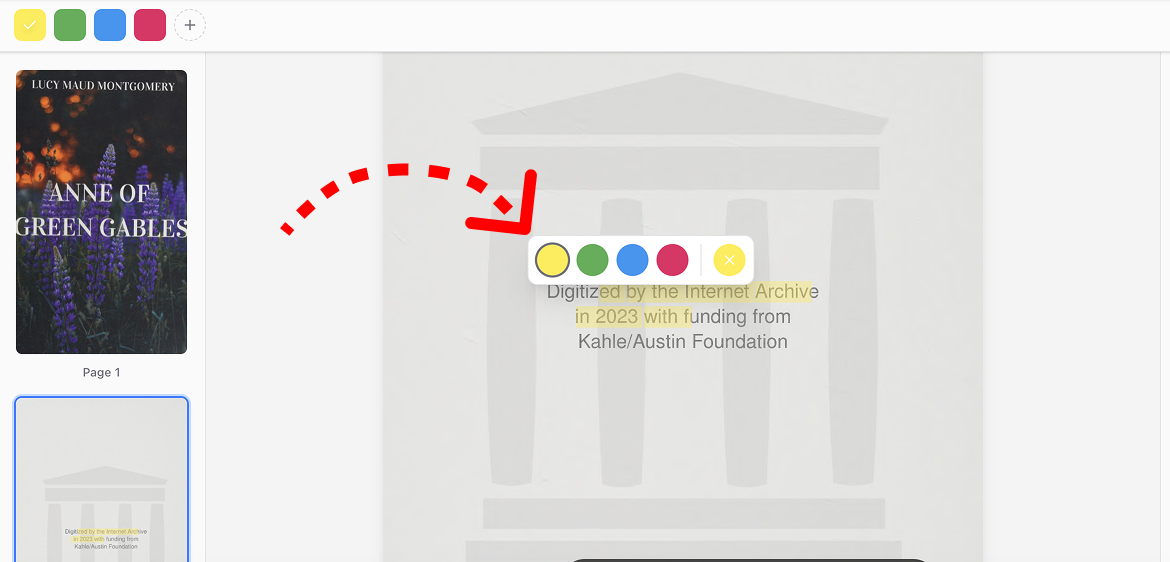
A screenshot of the PDF Highlighter interface showing a red dashed arrow pointing to a floating color selector with yellow, green, blue, and pink options appearing over a document highlight

5. Saving your creation. When you’re ready to keep your work, take a little look at the top toolbar:

  • Download PDF: This is the one! Use it to download your freshly edited document and keep it safe.
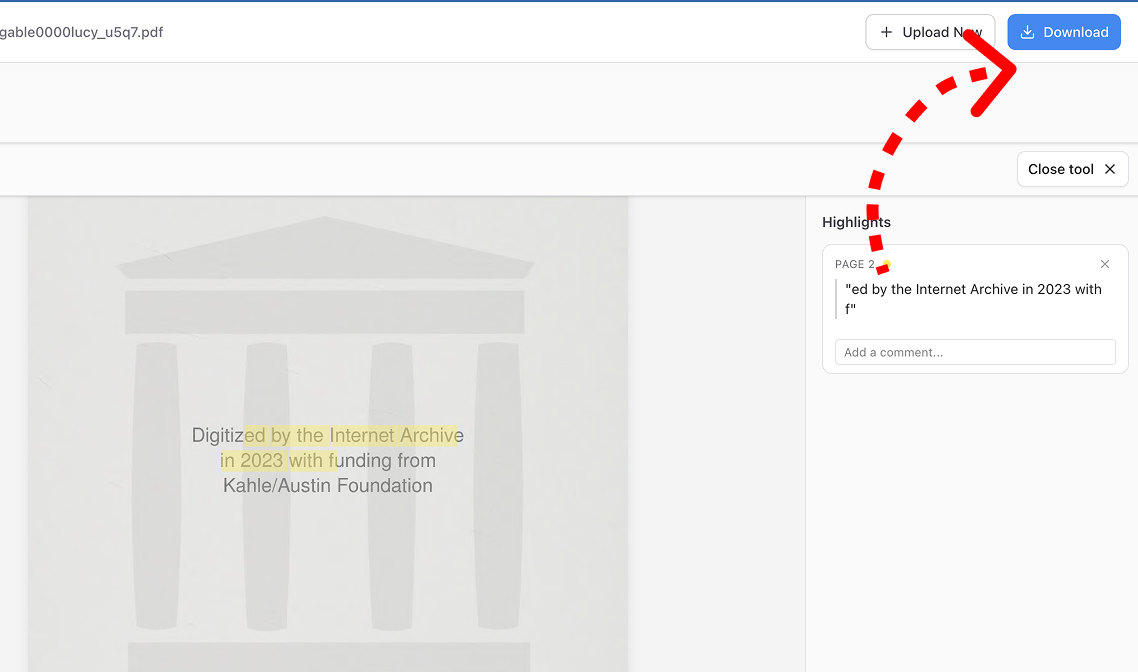
A interface screenshot of the PDF Highlighter tool with a red dashed arrow pointing to the blue "Download" button in the top right corner, above a "Highlights" sidebar.
  • Change File: Ready for something new? Use this to bring in a different document from your device.
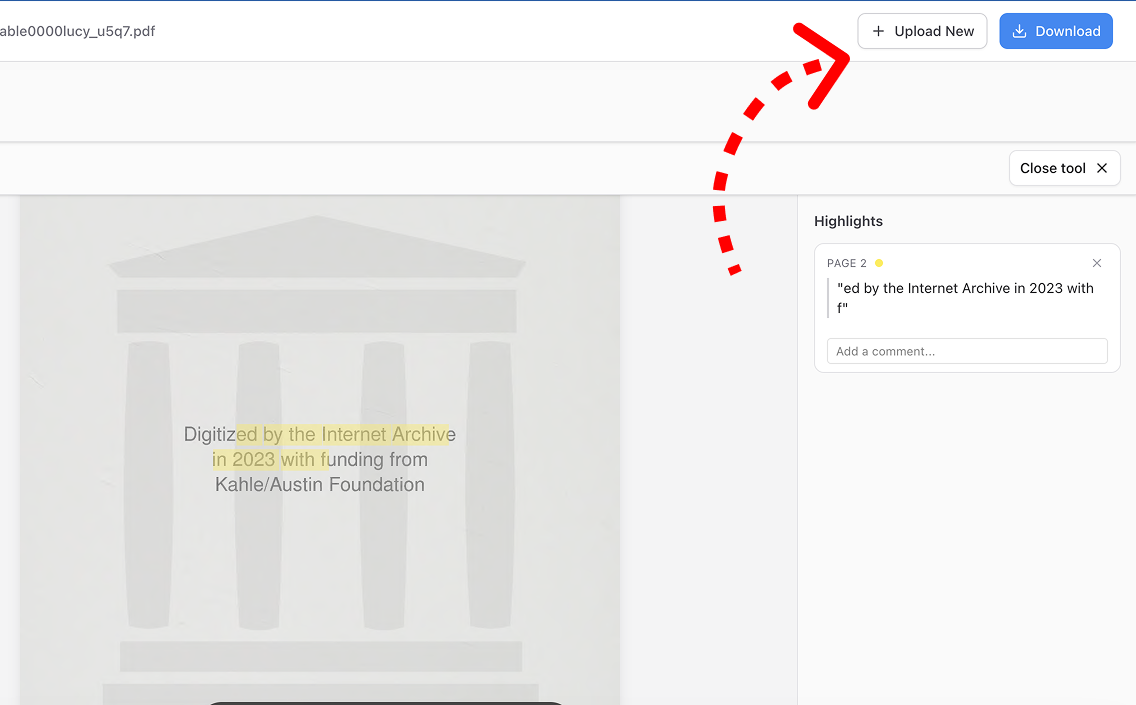
A screenshot of the PDF Highlighter tool showing the "Upload New" button in the top right corner, with a red dashed arrow pointing to it, and a "Highlights" sidebar on the right containing an extracted snippet.
keyboard_arrow_up