PDF Highlighter for your studies
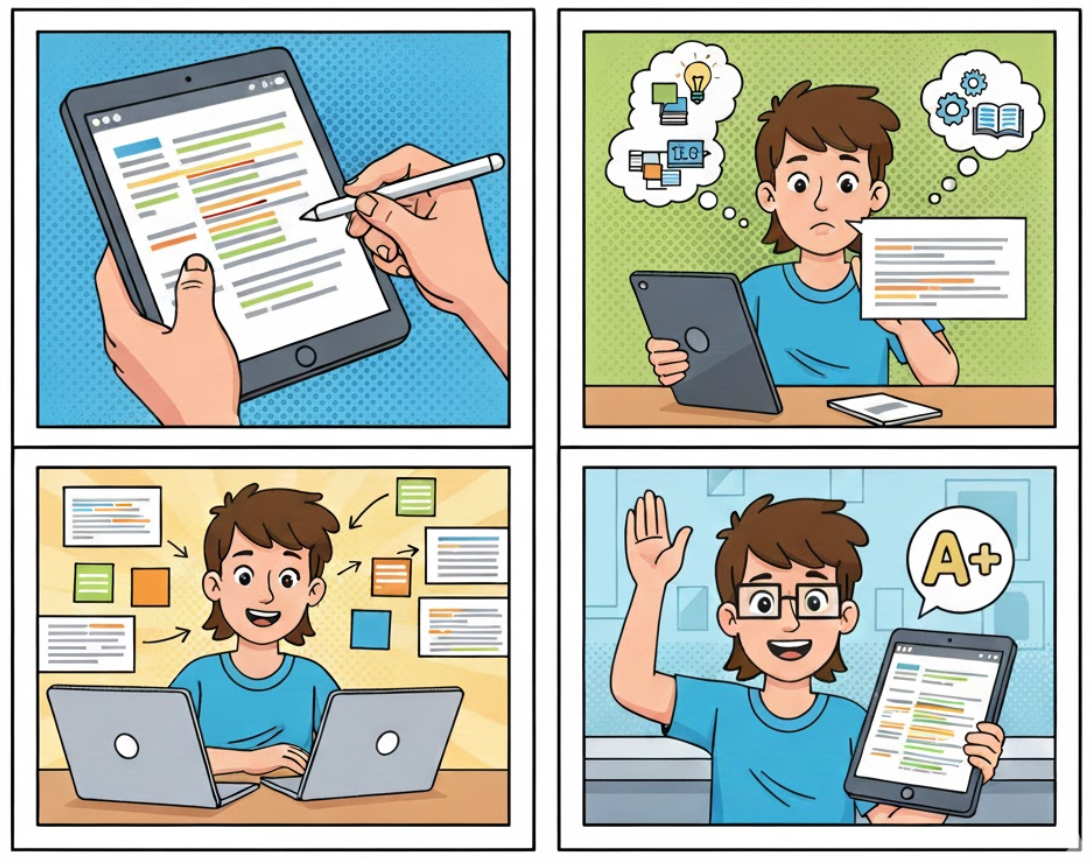
A quick note to start: I’m a medical student, and I often find myself working with all sorts of documents. Usually, I open a PDF, find the bits I need, and mark them using highlighting tools. Then, I turn those thoughts into a proper essay.
Over time, I realized I just needed one simple tool for one single thing — highlighting text in color. I tried so many apps, but they all felt a bit too crowded with extra features. It ended up distracting me more than helping.
That’s how I found PDF Highlighter! Instead of a mountain of options I don’t need, I just highlight the text and pick a color. Why wasn’t this thought of sooner?
Let me compare how I used to do things with how I do them now.
1. Now, I simply highlight the text and then pick its color. And that’s all. How was it before? I’d highlight the text, and then I’d have to go into an extra menu just to choose the color. It was just one simple move, but it really broke my focus.
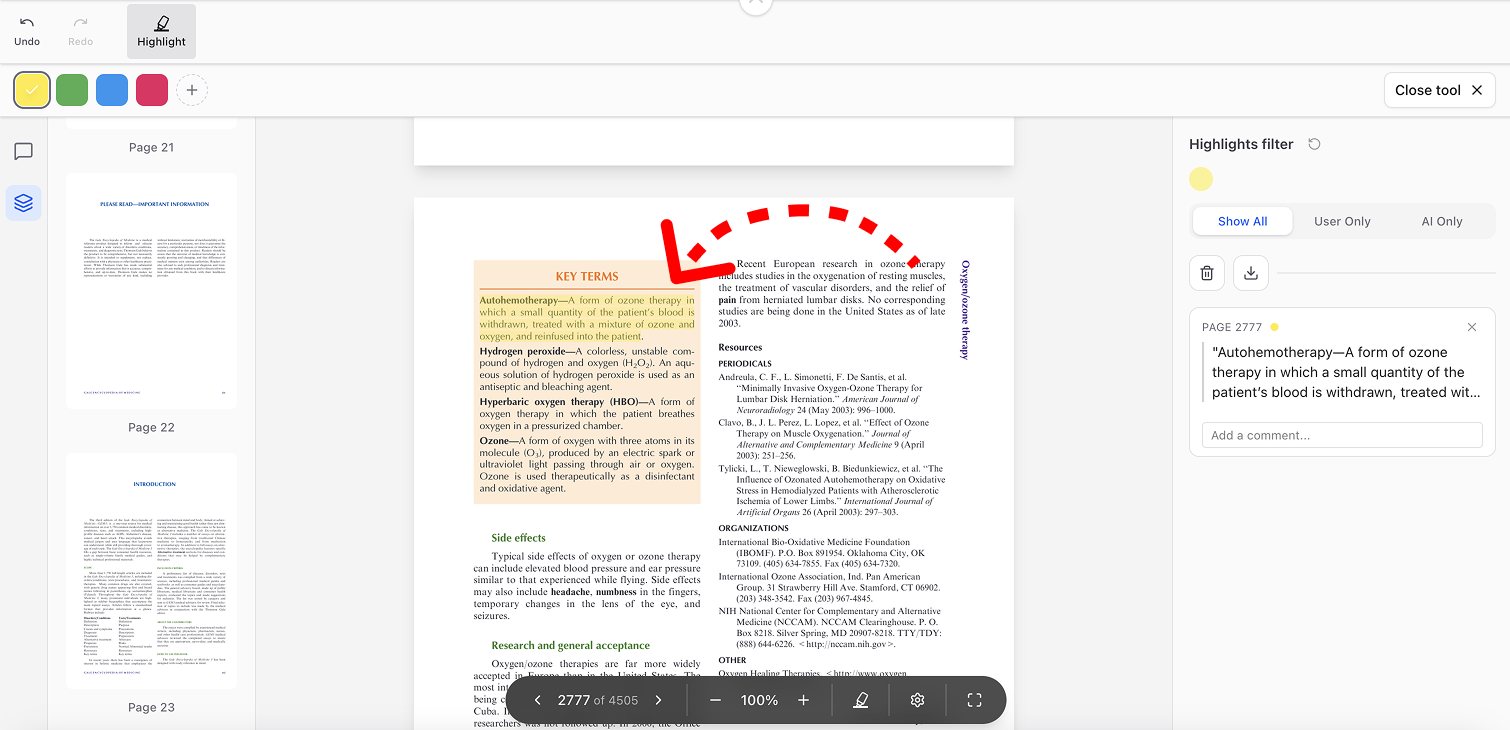
2. I can pick a custom color right after highlighting text, and it feels like magic. Adding or removing my own palette with zero extra clicks is exactly what my workflow was missing. Honestly, in other apps, even finding the ‘custom color’ option feels like a quest, but here—it just works
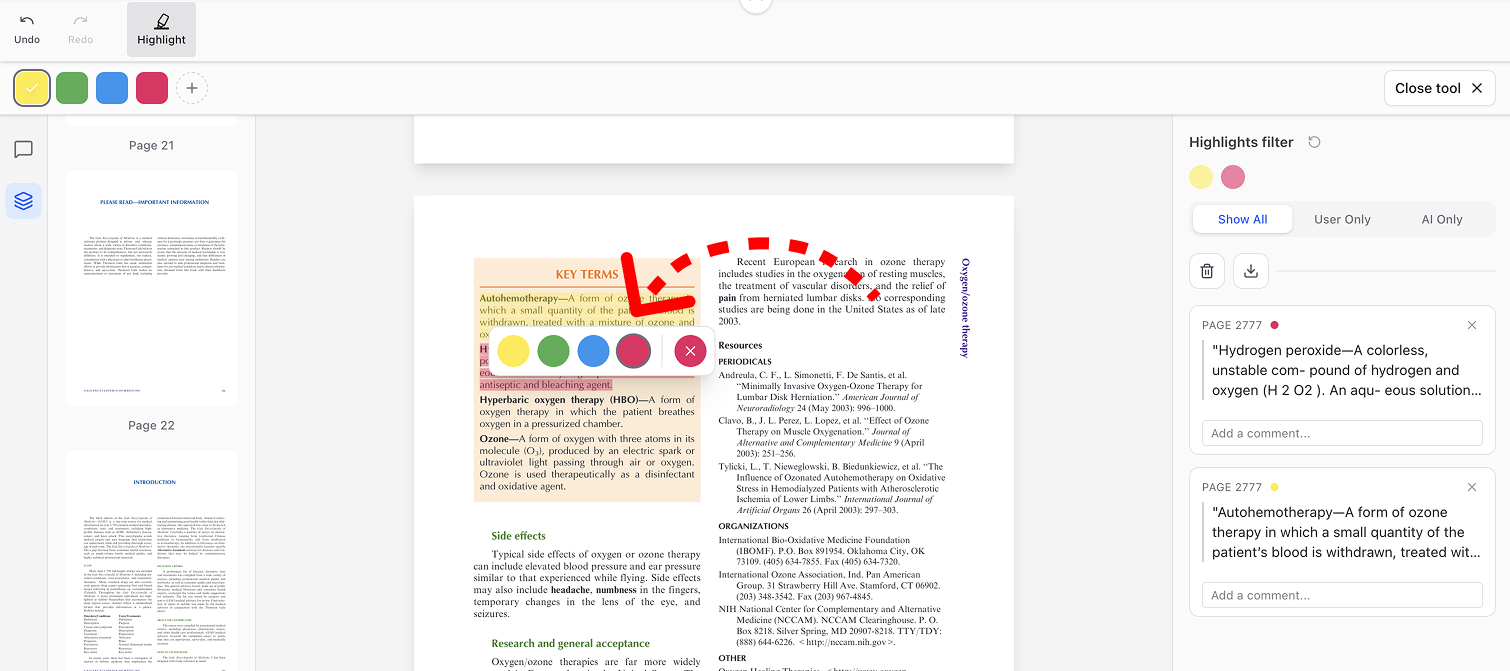
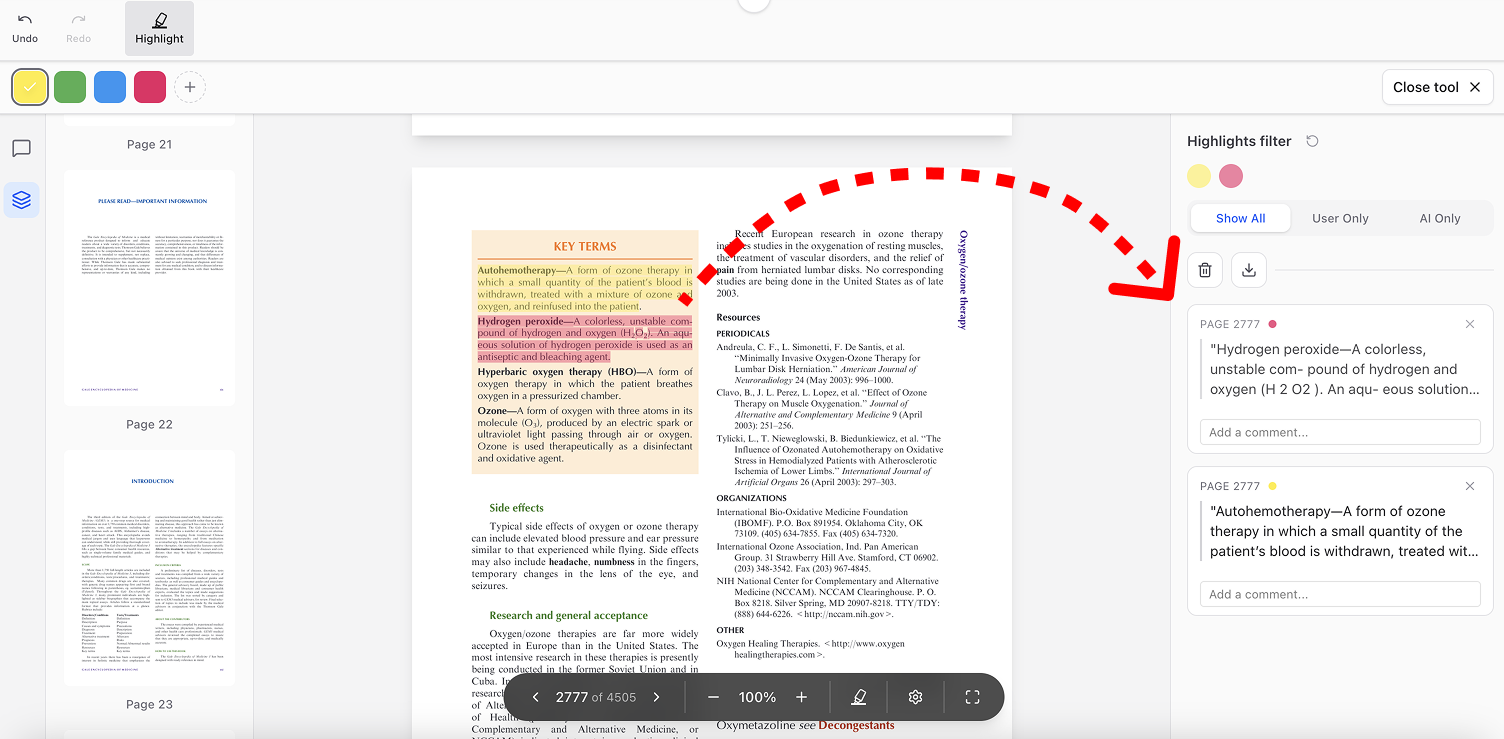
3. The killer feature for me is seeing all my highlights in one place. Honestly, why isn’t this the default everywhere? In my ‘previous life,’ I’d be scrolling until my fingers gave out, trying to piece my thoughts together for an essay. Now, it’s just one clean summary
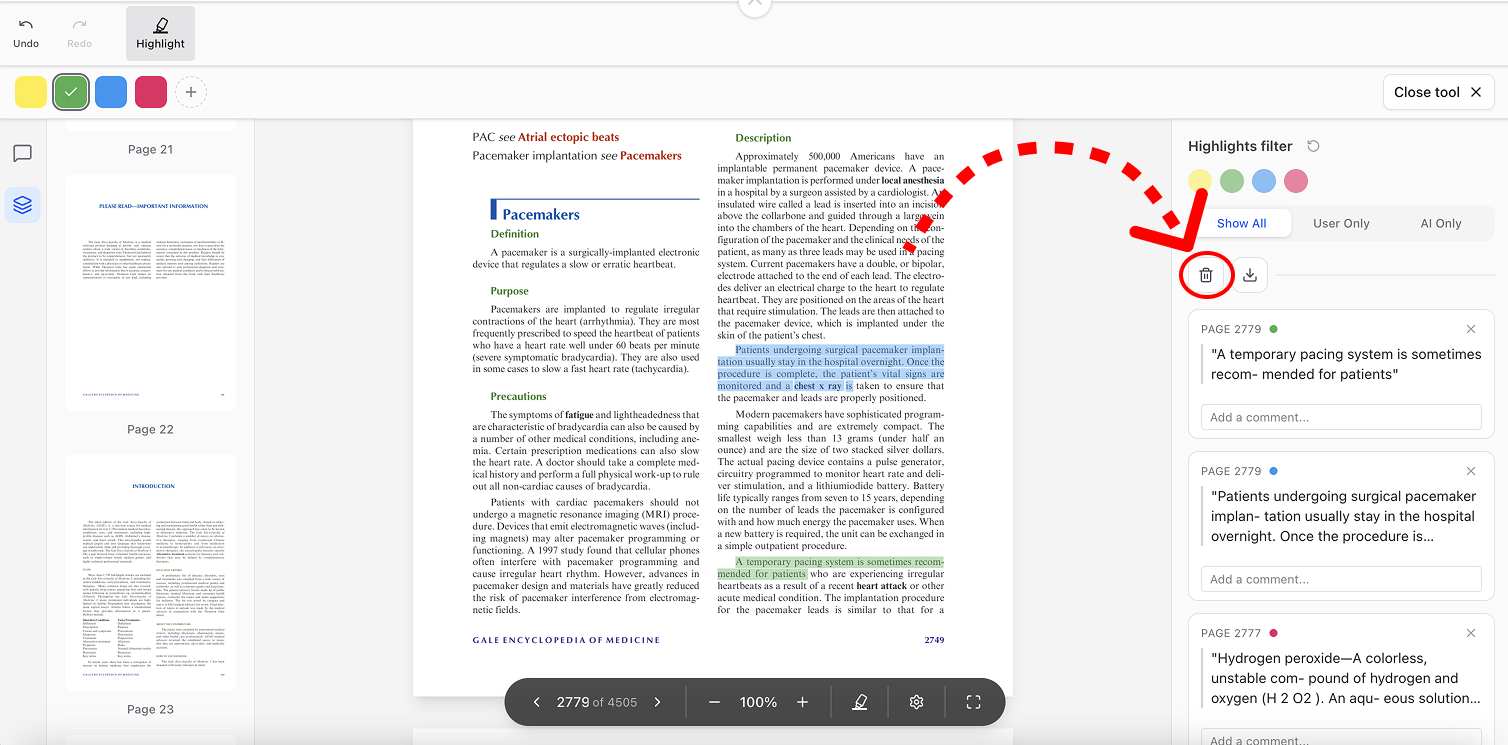
4. The ‘Clear All’ button is a total life-saver. When I’m switching topics within the same PDF, I don’t have to bother reloading the whole document like I used to—I just wipe the slate clean and start fresh. It’s one of those tiny quality-of-life features that just makes sense.
So, what’s the best part about PDF Highlighter? It’s brilliantly simple. Instead of overwhelming you with a million tools, it focuses on the one thing that matters: highlighting what you need. It’s turned my essay writing from a chore into a breeze.